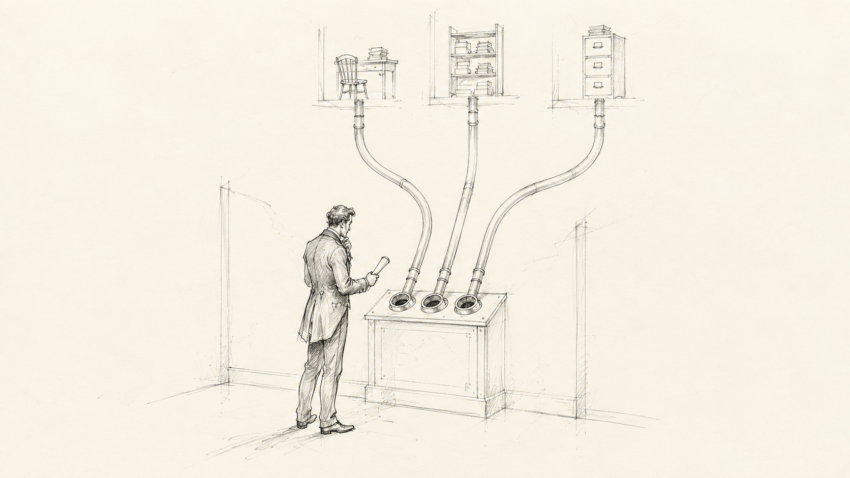
Why Organizations Get Stuck
Sick of moving forward but not getting anywhere? Most small organizations struggle with turning work into progress.
Small organizations often operate on inertia. A challenge arises, and the people on the ground figure out how to overcome it. Maybe not perfectly, but in a way that makes sense given what they know, what they have available, and what has worked before.
Over time, those solutions take familiar forms:
- spreadsheets
- shared drives
- even gasp binders
None of those tools is inherently bad. The problem is what happens next.
Institutional memory stops being flexible and starts becoming infrastructure.
The spreadsheet someone built three years ago becomes the purchasing system. A shared folder becomes the document management system. The task one employee remembers to do every Thursday becomes a business process.
I know you’ve seen this one. Nobody knows where anyone else’s files are, how they’re named, or what they contain. Janet leaves, but her files stay. Her replacement or supervisor is left to divine what any of it means.
The organization did not design an operating system. It accumulated a collection of workarounds.
That can work for a surprisingly long time. Then a key person leaves, a spreadsheet breaks, the volume grows, or two departments develop different versions of the same process. Suddenly, the organization starts the cycle all over again.
That point usually arrives long before the organization is financially or operationally ready for a full enterprise resource planning system.
Eventually, someone reaches what seems like the obvious conclusion: We need more software. Maybe we need an ERP.
Suppose the organization buys the ERP. What happens next?
Existing processes are reshaped to fit the software. That can be useful. Standardizing around a well-designed system can force consistency where little existed before.
During implementation, consultants configure workflows and build whatever customizations the organization can afford. Later changes can become slow and expensive. When something breaks, the client can disappear into a support structure built around layers of customization that nobody currently involved designed or fully understands.
More importantly, the software forces answers to questions the organization may never have answered for itself. Who owns this process? Who can approve it? Which data is authoritative? What happens when something goes wrong?
None of this means an ERP is inherently the wrong answer. The mistake is expecting software to resolve questions about ownership, authority, policy, and process that the organization has avoided answering for itself.
Buying an ERP does not eliminate the need to design the organization. It makes avoiding that work much more expensive.
The answer is not necessarily to buy an ERP. It is to start thinking like one.
What ERP Thinking Means
When people hear ERP, if they have heard of it at all, they tend to think of a product: SAP, Oracle, Dynamics, NetSuite, or some other large system with a large implementation attached to it.
But the useful part of an ERP is not the logo. It is the discipline behind it: defining what the organization needs to track, how those things relate, who owns them, and what should happen next.
This changes the way the organization is modeled. ERP systems live inside organizations, but they do not merely support workflows. Over time, they become the workflow.
ERP thinking starts by asking a few basic questions:
- What are the core things this organization needs to keep track of?
- Who owns each of those things?
- What events change them?
- What needs approval?
- What should happen next?
- What should management be able to see without asking six people for an update?
Purchasing as an Example
Purchasing is one of the clearest examples of what ERP thinking can accomplish. It appears to be a simple process, but it becomes increasingly complicated as an organization grows.
Without a defined system, a request might arrive on paper, through email, in Teams, or during a hallway conversation. Approval depends on who receives it and what that person remembers about the organization’s policies, assuming those policies exist at all.
The result is wasted time, inconsistent decisions, unplanned spending, and finance discovering purchases only after the invoice arrives.
A purchase request should not simply be a message. It should be a defined object within the organization.
It should have:
- an owner
- a department
- a budget
- a vendor
- an approval status
- an eventual purchase order
- a corresponding invoice
- a payment status
Those are not merely fields on a form. They are relationships. Together, they connect one request to the organization’s budget, authority structure, financial records, and management reporting.
The moment you define those relationships, you are doing ERP thinking – whether the system underneath is a multimillion-dollar platform or a carefully designed collection of tools you already own.
Five Layers of an Organizational Operating System
By organizational operating system, I mean the information, rules, and routines that determine how work moves through an organization. A small organization does not necessarily need one enormous application, but it does need five things to be designed intentionally.
1 Master data
Who and what exists? This includes vendors, employees, customers, residents, departments, accounts, jobs, products, and other records the organization repeatedly relies on. These records change less frequently than day-to-day activity and are reused across multiple processes.
2 Events
What happened? A request was submitted, an order was placed, an invoice arrived, an employee worked a shift, or a job moved into production. Events record the actions and changes that move work through the organization.
3 Workflow
What is supposed to happen next? The system should route work, notify the right person, preserve status, and make stalled items visible.
4 Controls
What requires approval or attention? Controls define spending authority, budget limits, exceptions, separation of duties, required documentation, and other rules the organization cannot afford to leave to memory.
5 Intelligence
What does management need to know? Good reporting should show what changed, what is outside expectations, and where someone needs to make a decision.
Do you need one product to connect all five? No. But they do have to connect. A report cannot be trusted if the underlying events are recorded inconsistently, and a workflow cannot enforce a policy that nobody has defined.
Why Software Alone Does Not Fix the Problem
Organizations and managers are often sold on the features of one-size-fits-all software that requires enormous resources to implement. Software can make an organization more efficient simply by imposing discipline that did not previously exist. The recipe may not have been bad. The cooks were freelancing the menu, and now the software forces everyone to follow something.
But software cannot decide who owns a process, establish approval rules, repair bad data, or supply management discipline. Those are operational decisions.
A new platform may make an old process faster while preserving every flaw inside it. It may also add screens, required fields, and licensing costs without giving management better control.
Digitizing chaos gives you digital chaos.
The process needs to be understood before it is automated. Someone has to decide what information matters, where it originates, who owns it, what rules apply, and what an exception looks like. Technology can then support those decisions.
What This Looks Like in Practice
In one organization I work with, we began with purchasing. The original question seemed simple: How do we gain better control over purchase requests and invoices?
Management and supervisors lacked clear control over spending, while departments lacked consistent expectations about budgets and approvals.
Define the Limits
Before building anything, we had to define the boundaries. What counted as a purchase request? Which purchases required approval? Who could approve what? When did a request become a commitment against the budget?
We followed the process from beginning to end. Purchasing touched budgets, vendors, approvals, accounts payable, department managers, payment timing, and forecasting.
Purchasing also carried politics: who was allowed to spend, what counted as necessary, which departments received priority, and who was expected to say no.
Each connection exposed another decision that had previously lived in an inbox, a spreadsheet, or someone’s memory.
The answer was not to begin with a large ERP implementation. We used tools the organization already owned to define the records, relationships, approvals, and reporting. The technology mattered, but the design came first.
The workflow only worked because the other layers supported it: consistent vendor and budget records, clearly defined purchasing events, approval controls, and reporting that showed management where attention was needed.
What began as a purchasing workflow became a small operational control layer. Managers could submit requests, the system could compare them with the relevant budgets, the right people could approve them, and eventual invoices could be reconciled with purchase orders. Management could see exceptions without manually reconstructing the process.
That does not make the collection of tools an ERP. It means the organization is applying ERP thinking to a problem that had outgrown its informal process and was consuming time, money, and intellectual capacity.
A Better Starting Point
Do small organizations really have only two choices: continue relying on decentralized, poorly named spreadsheets living on someone’s desktop and in someone’s head, or spend hundreds of thousands of dollars on enterprise software?
No. There is a large, friendlier, less expensive middle.
Start by designing the organization as a system. Define the data. Define ownership. Define the workflow. Define the controls and exceptions. Decide what management needs to see. Then choose technology that supports those decisions.
Some organizations will not need much more than redesigned workflows and better use of the tools they already own. Others may discover that a full ERP is justified. Either way, they will make that decision with a clearer understanding of what the system needs to accomplish.
The important step is not buying the software. It is deciding how the organization should work.
If your organization’s spreadsheets, inboxes, shared drives, and institutional memory are starting to fight back, that is usually a sign that the workaround has become the system. It may be time to start thinking like an ERP.